A Quran app for Apple Watch

The Holy Quran,
on your wrist.

Quran Wrist puts all 114 surahs right on your Apple Watch. It runs on its own without an iPhone, works without internet, and needs no account. Raise your wrist and read.

Download Quran Wrist on the App Store

One-time purchase · watchOS 10 or later

  • Standalone, no iPhone needed
  • Fully offline
  • No ads, no tracking
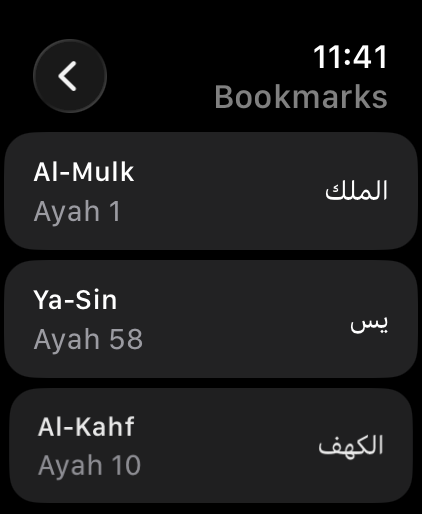
Bookmarks list with Al-Mulk ayah 1, Ya-Sin ayah 58, and Al-Kahf ayah 10
Surah Al-Mulk in Quran Wrist: surah name, 30 ayahs, the Bismillah, and the first ayah in Arabic
complete surahs
114
ayahs in Arabic
6,236
readable offline
100%
data collected
0

وَلَقَدْ يَسَّرْنَا ٱلْقُرْءَانَ لِلذِّكْرِ فَهَلْ مِن مُّدَّكِرٍ

“And We have certainly made the Qur'an easy for remembrance, so is there any who will remember?”

Surah Al-Qamar 54:17 · Translation: Saheeh International

Features

Designed for a small screen. Made for daily reading.

Every screen in Quran Wrist is built so ayahs are easy to read and easy to find, without reaching for your iPhone.

Arabic text

Comfortable to read, even on a screen this small.

Uthmani-script Arabic flows right to left in generous type. The surah name and ayah count sit at the top, the Bismillah is set apart at the start of each surah, and every ayah is numbered in Arabic numerals.

  • Scroll ayah by ayah with the Digital Crown
  • All 114 surahs stored on the watch
  • Arabic text size: small, medium, or large Coming · v1.0.1
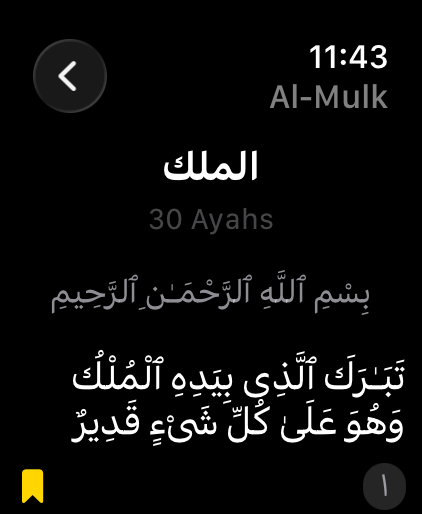
Surah Al-Mulk with the Bismillah and the first ayah in Arabic

Translation Coming · v1.0.1

Understand the meaning, ayah by ayah.

Show a translation under every ayah: English by Saheeh International, or Bahasa Indonesia by the Indonesian Ministry of Religious Affairs. Prefer Arabic only? Turn translation off anytime in Settings.

  • English · Saheeh International
  • Bahasa Indonesia · Kementerian Agama RI
  • Still offline, built into the app
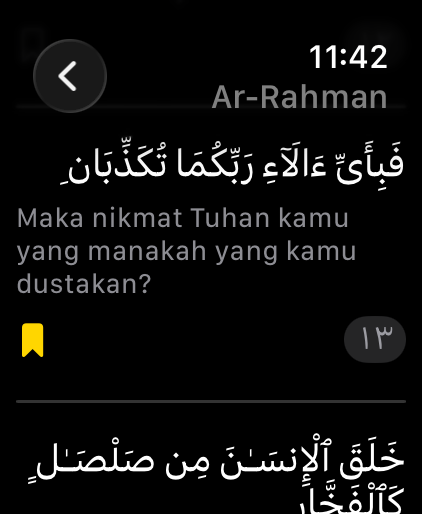
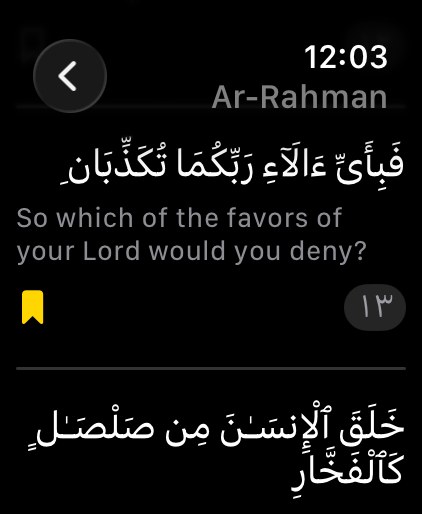
Surah Ar-Rahman ayah 13 with the Indonesian translation
Surah Ar-Rahman ayah 13 with the translation: So which of the favors of your Lord would you deny?

Resume & Juz Coming · v1.0.1

Pick up right at the last ayah.

Quran Wrist remembers the surah and ayah you last read. Tap Continue Reading to carry on, or open Browse by Juz to jump to the start of any of the 30 juz.

  • Reading position saved automatically as you scroll
  • All 30 juz, each with its starting surah and ayah
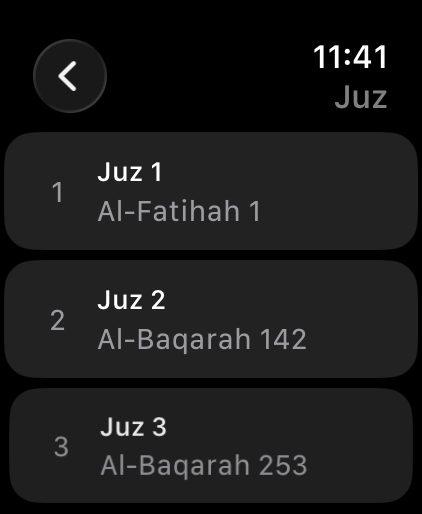
Juz list: Juz 1 Al-Fatihah 1, Juz 2 Al-Baqarah 142, Juz 3 Al-Baqarah 253
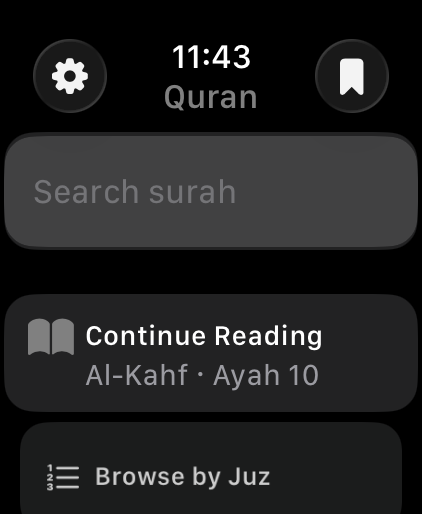
Home screen with surah search, Continue Reading Al-Kahf ayah 10, and Browse by Juz

Search & Bookmarks

Find any surah. Keep your favorite ayahs.

Search for a surah by name or number. Tap the bookmark icon under an ayah to save it, then return anytime from the Bookmarks list.

  • Bookmarks stay on your watch, not on a server
  • Swipe left to remove a bookmark
Bookmarks list with Al-Mulk, Ya-Sin, and Al-Kahf
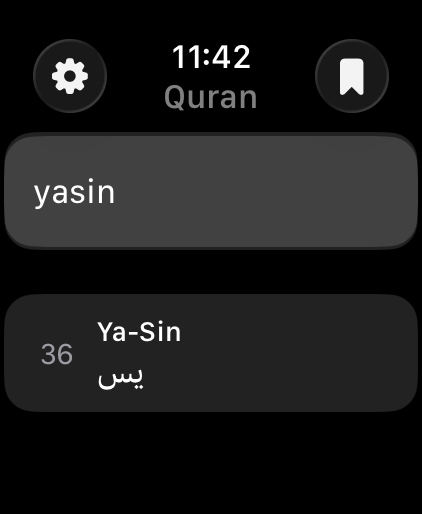
Searching “yasin” shows surah 36, Ya-Sin

Light, standalone, and private.

  • Standalone

    Built for Apple Watch alone. Keep reading when your iPhone is left at home.

  • Fully offline

    No Wi-Fi or cellular needed. Every surah is on the watch from the moment it installs.

  • Digital Crown

    Turn the Digital Crown to scroll smoothly without covering the screen.

  • Light and fast

    Each surah loads when you open it, keeping the app light on your watch.

  • No account

    No sign-up, no login. Open the app and start reading.

  • No ads, no tracking

    No ads, no analytics, and no third-party SDKs in the app.

For the short pauses in your day.

A few ayahs are enough to fill time that would otherwise slip away.

  • Waiting for iqamah

    Continue your reading in the row while you wait for prayer to begin.

  • On the move

    On the train, in a queue, or waiting for your order, without taking out your phone.

  • Before sleep

    Read Al-Mulk at bedtime without the glare of a phone screen.

Privacy

Your reading stays yours.

Quran Wrist has no server, account, ads, or analytics. Bookmarks, your reading position, and settings live only on your Apple Watch, and the app never sends them anywhere.

Read the privacy policy
  • No data collected
  • No location, health, or contacts permissions
  • Never connects to the internet

Pricing

Buy once. No subscription.

Pay once on the App Store and read as much as you like. No monthly fees and no locked features.

Quran Wrist

Pay once no subscription

  • All 114 surahs with the complete Arabic text
  • Ayah bookmarks and surah search
  • English & Indonesian translations Coming · v1.0.1
  • No subscription, ads, or in-app purchases
  • Apple Watch with watchOS 10 or later
Download Quran Wrist on the App Store

The App Store shows the price for your country before you buy.

Frequently asked questions

Does Quran Wrist need an iPhone?

Not for reading. Quran Wrist runs on its own on Apple Watch and keeps the full text on the watch. You only need an iPhone, as usual, to pair your Apple Watch. You can buy the app from the App Store on Apple Watch or on iPhone.

Which Apple Watch models are supported?

Any Apple Watch running watchOS 10 or later. That includes Apple Watch Series 4 and newer, Apple Watch SE, and Apple Watch Ultra.

Do I need an internet connection?

No. The Quran text is built into the app, so you can read anywhere, even in airplane mode.

Which translations are available?

Translations arrive in the 1.0.1 update: English (Saheeh International) and Bahasa Indonesia (Kementerian Agama RI). You can pick one or turn translation off in Settings.

Is there audio recitation?

Not yet. Quran Wrist currently focuses on reading the text.

Is there an iPhone or iPad version?

No. Quran Wrist is made for Apple Watch only.

Is it a subscription?

No. You buy Quran Wrist once on the App Store. There is no subscription, no ads, and no in-app purchases.

What language is the app’s interface in?

The menus are in English, for example Search surah, Bookmarks, and Settings. The Quran text is shown in Arabic.

Where are my bookmarks stored?

Bookmarks, your last reading position, and settings are stored on your Apple Watch. We don’t collect any data.

I found an error in the text. How do I report it?

Email contact@ihwan.id with the surah and ayah number. We will check it and fix it.

Need more help? Visit the support page.

Carry the Quran wherever you go.

Quran Wrist is available on the App Store for Apple Watch.

Download Quran Wrist on the App Store